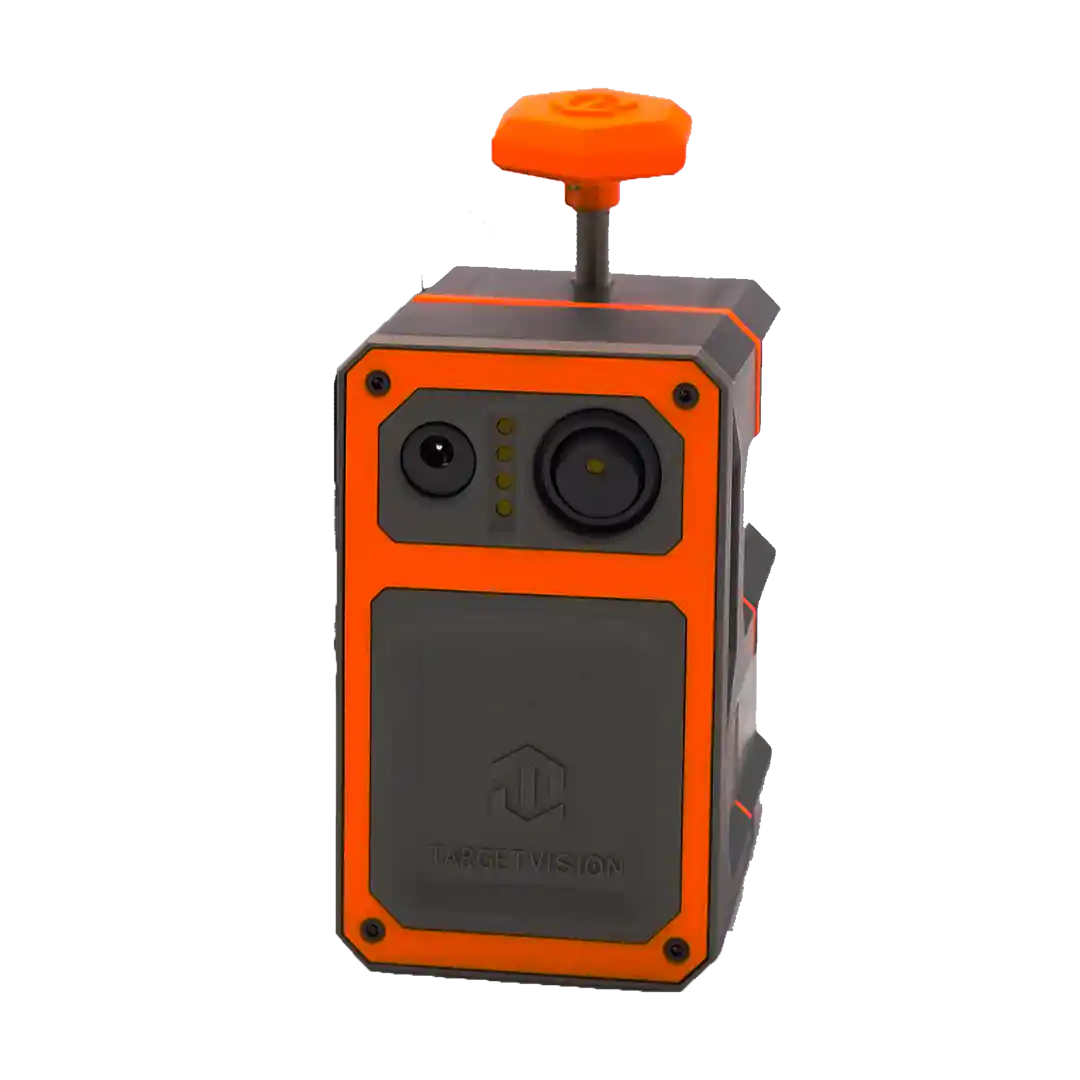
The Longshot Hawk spotting scope camera turns a compatible spotting scope into a wireless live-view system for your phone or tablet. This 2026 guide shows how to mount the Hawk, connect it to the Longshot app, check the image, and use it safely at the range or in the field.

- The Longshot Hawk mounts to spotting scope eyepieces from 36 mm to 58 mm.
- The Hawk streams live HD video to a phone or tablet through the Longshot app.
- The Longshot Hawk uses a direct wireless connection and does not need cell service.
- The Hawk is the right choice when you already own a compatible spotting scope.
Why the Hawk is different from a target camera system
The Longshot Hawk is a spotting scope camera attachment. It does not replace the spotting scope. It captures the view through a compatible eyepiece and sends that live HD image to your phone or tablet through the Longshot app.
In 2026, that means a shooter or spotter does not need to stay behind the eyepiece while everyone else waits for a call. The shooter, spotter, or a second viewer can follow the same image on a mobile device.
The Hawk fits eyepieces between 36 mm and 58 mm. Measure your spotting scope eyepiece before buying or mounting the unit. Compatibility starts with that number.
What you need before setup
- A Longshot Hawk spotting scope camera.
- A compatible spotting scope with an eyepiece diameter from 36 mm to 58 mm.
- A charged Android phone, tablet, iPhone, or iPad with the Longshot app.
- The Hawk charger and carrying case.
- A stable spotting scope tripod or support.
The Hawk has a stated 12+ hour runtime under normal conditions. Battery performance changes with temperature, streaming use, recording use, and screen brightness, so charge the Hawk and the viewing device before every range day.
Step 1: Confirm eyepiece size and clean the eyepiece
Verify that your spotting scope eyepiece falls between 36 mm and 58 mm. The Longshot Hawk uses an adjustable mounting system designed for that range.
Wipe dust and moisture from the eyepiece before mounting. A dirty optical surface shows up in the live feed. Do not diagnose a poor image as an app problem until the eyepiece is clean.
Step 2: Mount the Longshot Hawk squarely
Slide the Hawk onto the spotting scope eyepiece using its adjustable mount. Center the device so the Hawk lens is aligned with the scope's optical path, then tighten the mounting system securely.
If the live view shows a dark ring, an uneven circle, or only part of the field, the Hawk is not aligned yet. Adjust the mount before trying to solve the issue in the app.
Step 3: Set the spotting scope view first
Aim the spotting scope at the target or observation area and focus the optical image through the eyepiece before opening the Longshot app. Use a stable tripod. The Hawk records what the spotting scope sees, so an unfocused or shaking scope produces an unfocused or shaking live view.
Start at a reasonable magnification. Excessive magnification can make the target image harder to keep centered and can exaggerate vibration or mirage.
Step 4: Power on the Hawk and connect your device
Turn on the Longshot Hawk. On your phone or tablet, open Wi-Fi settings and connect to the Hawk's direct wireless network. The device may report that the network has no internet. That is expected because the connection carries the live video feed, not internet traffic.
The Hawk does not require cellular service, external Wi-Fi, or internet access. That makes it useful at remote ranges and outdoor locations where normal connectivity is unavailable.
Step 5: Open the Longshot app and inspect the image
Open the Longshot app after the phone or tablet is connected to the Hawk. Check the live image for focus, centering, and brightness. If the target looks soft, focus the spotting scope again. If the image is clipped, realign the Hawk mount.
Longshot states that the app supports tracking and numbering shots, saving photos, reviewing sessions, and recording video and stills, depending on the system and workflow.
Step 6: Set the screen where the shooter can use it
Put the phone or tablet where the shooter or spotter can read it without blocking safe movement or tangling with other equipment. Increase screen brightness if daylight makes the image difficult to see.
The gain from a Longshot Hawk spotting scope camera is shared visibility. A shooter can remain at the rifle while a spotter watches the same image, rather than trading places at the eyepiece.
Step 7: Check the setup before the first shot
Confirm that the scope is secure, the Hawk mount is tight, the live image is centered, and the mobile device is still on the Hawk wireless network. A short check prevents a session with a badly aligned camera or a device that quietly switched back to a network with internet access.
Troubleshooting the Longshot Hawk
The Hawk will not fit the eyepiece
Measure the eyepiece. The Longshot Hawk mounting system supports spotting scope eyepiece diameters from 36 mm to 58 mm. An eyepiece outside that range is not compatible.
The video has a dark ring or clipped edge
The Hawk is not centered over the eyepiece. Loosen the mount, align the camera with the optical path, and retighten it.
The image is blurry
Focus the spotting scope first. The Hawk streams the image produced by the scope, so the optical focus must be correct first.
The phone or tablet says there is no internet
Keep the connection. The Hawk uses a direct wireless link to stream video, so an internet warning is expected.
The live feed drops out
Check the Hawk battery, then make sure the mobile device did not switch to another Wi-Fi network. Reconnect to the Hawk's direct wireless signal and reopen the Longshot app.
Watch the Longshot setup answers
Longshot’s camera FAQ video covers the direct wireless connection, placement, and day-to-day setup questions that come up before a range session.
Watch Longshot Camera FAQ — Your Questions Answered on the official Longshot Cameras YouTube channel, then use the steps above to finish the Hawk setup.
FAQ
What eyepiece size fits the Longshot Hawk spotting scope camera?
The Longshot Hawk fits spotting scope eyepieces between 36 mm and 58 mm. Confirm your eyepiece diameter before mounting the Hawk.
Does the Longshot Hawk include a spotting scope?
No. The Longshot Hawk is a camera attachment system that mounts to a compatible spotting scope; the spotting scope is not included.
Does the Longshot Hawk need Wi-Fi or cell service?
No. The Longshot Hawk creates a direct wireless connection to a phone or tablet, so it does not need cell service, internet access, or an external Wi-Fi network.
How long does the Longshot Hawk battery last?
The Longshot Hawk has a stated runtime of 12+ hours under normal operating conditions. Battery performance varies with streaming, recording, temperature, and screen brightness.
Can more than one device view the Longshot Hawk feed?
Yes. Longshot states that multiple compatible devices can connect and view the live image feed through the Longshot app.
Why is the Longshot Hawk image blurry?
Focus the spotting scope before adjusting the app. The Hawk streams the image produced by the scope, so the optical focus must be correct first.
One last thing
The Longshot Hawk earns its place when you already trust your spotting scope but want the image where the shooter and spotter can use it. In 2026, that means fewer turns at the eyepiece and faster feedback on the firing line.
Share:
Digital Spotting Scope for Hunting Guides 2026: Verdict
Digital Spotting Scope With Screen: 2026 Guide