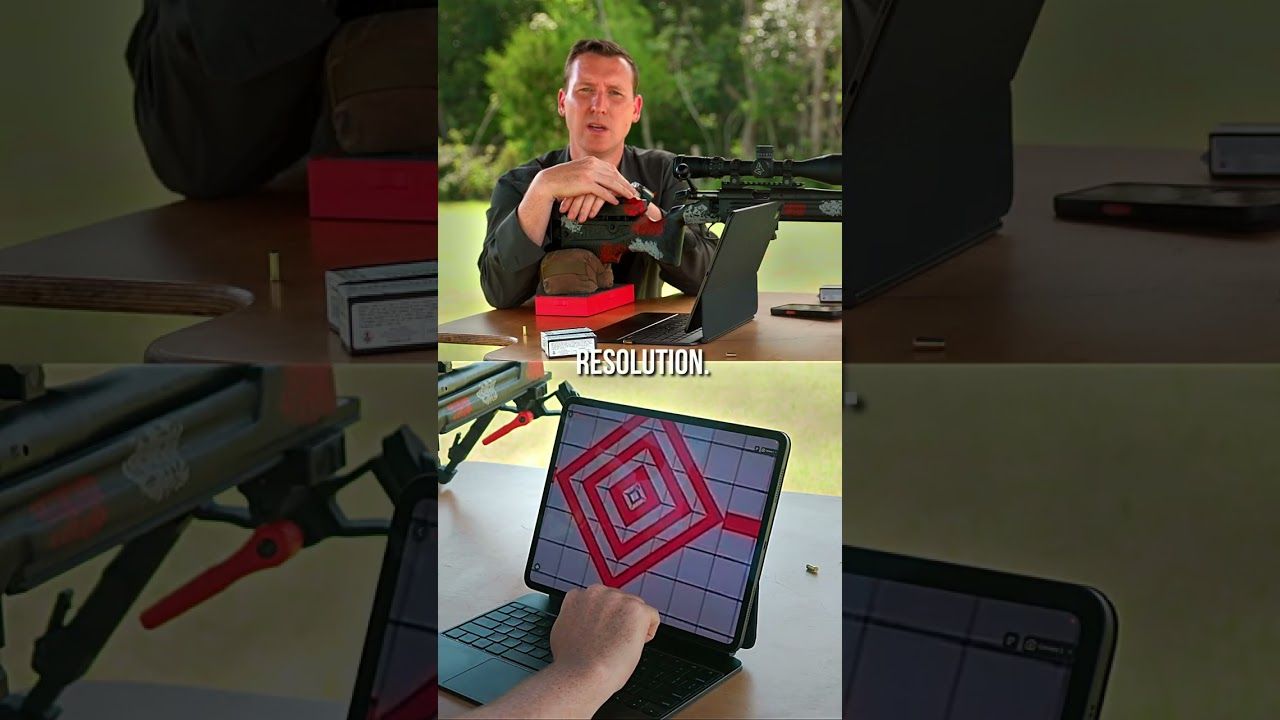
Set up a Longshot target camera in four basic stages: place the camera near the target, position the receiver at the firing line, connect your phone or tablet, and confirm the live view before shooting. The system needs no cell service or existing Wi-Fi.
- Set the camera only during an authorized cold range.
- Start about 10 to 20 feet from the target when model guidance allows.
- Join the Longshot network before opening the app.
- Frame the full target before zooming in.
- Ranger+ covers 1,000 yards; LR-3 carries a 2-mile guarantee.
Why This Matters in 2026
A target camera is simple once the order is clear. Most setup trouble comes from skipping a step: the camera is too close to the paper, the phone joins the wrong network, the receiver sits behind an obstruction or the target is cropped before the first shot.
The Longshot getting-started camera collection covers systems from 100 yards to 2 miles. This 2026 guide focuses on the shared setup that gets the target onto your screen.
What You’ll Need
- A Longshot target camera matched to the shooting distance.
- The included receiver if your model uses one.
- A phone or tablet with the Longshot app.
- Charged camera, receiver and viewing device.
- The included or compatible tripod.
- A paper target and safe backstop.
- An authorized cold range for placement and retrieval.
Test the system at home before the first range trip. A successful connection on the workbench makes the firing-line setup much easier.
1. Charge Every Part
Charge the camera, receiver and phone or tablet. Do not check only the camera battery.
Ranger+ currently lists a 6-hour battery. LR-3 lists 9 hours. Setup time counts, so power the system on when you are ready to place and connect it.
Expected outcome: Every required device powers on normally.
Common mistake: Arriving with a charged camera and an empty receiver battery.
2. Choose the Correct Target Distance
Match the camera to the actual lane. Ranger+ covers target viewing up to 1,000 yards. LR-3 carries a 2-mile guarantee for long-range and ELR use.
A longer range rating does not replace correct placement. It simply gives the system the distance capacity needed for the firing line.
Expected outcome: The selected Longshot system covers the full target distance in 2026.
Common mistake: Assuming all compact camera models have the same range.
3. Place the Camera During a Cold Range
Take the camera downrange only when access is authorized. Keep it adjacent to the target, outside the direct line of fire and away from obvious target movement or fragment paths.
Longshot’s current general guidance starts around 10 to 20 feet from the paper, then adjusts for target size and framing. Watch the official camera placement video before the first setup.
Expected outcome: The camera can see the complete target without sitting directly behind it.
Common mistake: Choosing the easiest walking path instead of the safest viewing position.
4. Open and Stabilize the Tripod
Set the tripod on firm ground. Use the lowest stable height that clears grass, berms or target-frame parts.
Widen the tripod stance and tighten the approved locks. Do not balance the camera on an ammunition box, target frame or loose object.
Expected outcome: The view stays steady in normal wind and range activity.
Common mistake: Extending every tripod section before checking whether a lower position works.
5. Frame the Target
Aim the camera squarely at the paper. Start with the full target and some surrounding backer visible.
Smaller targets can use a closer camera position. Larger targets need more distance so the full paper fits. Longshot cameras use a fixed-focus lens, so move the camera within the approved range to improve the picture.
Expected outcome: The top and bottom of the target sit near the screen edges with room on the sides.
Common mistake: Filling the screen with the aiming point and cropping out a wide first shot.
6. Position the Receiver at the Firing Line
Set the receiver where it has a clear practical path toward the camera. Keep it stable and avoid placing it behind vehicles, heavy walls or large metal barriers.
For LR-3, the included second tripod supports the receiver position. Ranger+ also includes a receiver in the current system.
Expected outcome: The receiver remains steady and the link reaches the bench.
Common mistake: Hiding the receiver behind a barrier because only the phone needs to be visible.
7. Connect the Phone or Tablet
Open the device’s network settings and join the correct Longshot network. A no-internet warning is normal because the network carries the camera feed rather than public internet.
Tell the device to stay connected. Then open the Longshot app and select the live camera.
The official Longshot app walkthrough shows the 2026 connection and the main app tools.
Expected outcome: The target appears live on your phone or tablet.
Common mistake: Letting the device switch automatically to range Wi-Fi.
8. Check the View Before Shooting
Verify the target number, focus and framing while the range is still cold. If the image is blurry, move the camera within the model guidance rather than relying only on digital zoom.
Check battery status and save a test image. Once the line goes hot, leave the camera in place until the next authorized cease-fire.
Expected outcome: The full target is visible before the first round.
Common mistake: Waiting until after the first shot to discover the wrong lane is on screen.
Ranger+ and LR-3
The Longshot Ranger+ is the compact $449 option for target viewing up to 1,000 yards. Current specifications list 1920 x 1080 resolution and a 6-hour battery.
The Longshot LR-3 starts at $999 and carries a 2-mile guarantee. It uses 2688 x 1512 imagery, lists 9 hours of battery life and includes a hard case, camera, receiver, two tripods and two chargers.


Troubleshooting
The phone shows no internet
Stay connected. The Longshot network is carrying the target feed and is not supposed to provide internet access.
The app shows no image
Confirm camera and receiver power, recheck the selected network, close the app fully and reopen it.
The target is blurry
Move the camera closer or farther within the model instructions. Clean only with lens-safe tools when the range is cold.
The target is cropped
Move the camera farther back or widen the app view. Keep the full paper visible for the first group.
The feed drops at the bench
Reposition the receiver away from obstructions and confirm that the system is within its rated distance.
The image shakes
Lower the tripod, widen its stance and tighten the approved locks.
FAQ
How do I set up a Longshot target camera?
Place the camera near the target during a cold range, position the receiver at the firing line, join the Longshot network and open the app.
How far should the camera be from the target?
Current general guidance starts around 10 to 20 feet, adjusted for target size and the selected model instructions.
Does a Longshot camera need Wi-Fi?
No. The system creates its own wireless connection and does not need existing Wi-Fi or cell service.
Why does the target look blurry?
Longshot cameras use a fixed-focus lens, so adjust the camera-to-target distance within the model guidance.
Which Longshot camera reaches 1,000 yards?
Ranger+ covers target viewing up to 1,000 yards and currently costs $449.
Which Longshot camera reaches 2 miles?
LR-3 carries a 2-mile guarantee and starts at $999.
Can I move the camera while the range is hot?
No. Place, adjust and retrieve downrange equipment only during an authorized cold range.
One Last Thing
The best 2026 setup is the one you can repeat. Record the working camera distance, tripod height, receiver position and network name so the next range day starts with proven positions.
Share:
No Wi-Fi at the Range? Longshot Still Works | 2026
Target Camera for 1,000 Yards or 2 Miles | 2026