
Dust, target debris, fingerprints, and dried moisture can soften the target image even when the camera and app are working normally. The safest cleaning routine starts with the least aggressive step: inspect, remove loose material, and clean only with methods approved for the product.
A target camera lens is not a bench mat. Do not wipe it with a glove, shirt sleeve, or dirty range cloth. One rushed wipe can drag grit across the optical surface.
- Power the camera off and inspect it in clean, dry light before touching the lens.
- Remove loose dust first; never grind visible grit into the optical surface.
- Use only lens-safe tools and cleaning products approved by Longshot or the product instructions.
- Clean the body, tripod threads, case, and connectors separately from the lens.
- Let wet equipment dry before closing it in the case, and report damage rather than polishing aggressively.
Build a Clean Work Area
Do not clean the lens while the camera is still beside a dusty berm. Pack the system safely after the match, then move to a clean, well-lit surface.
For the 2026 post-match routine, prepare:
- Clean work mat.
- Bright inspection light.
- Lens-safe blower or tool approved for optical equipment.
- Clean lens tissue or microfiber reserved only for optics.
- Approved lens-cleaning solution if the instructions permit it.
- Clean cloth for the camera body and case.
- Small container for caps and accessories.
Keep body-cleaning cloths away from the lens tools. A cloth that picked up grit from a tripod foot should never touch glass.
Power Down Before Cleaning
Close the session in the Longshot app and save any needed stills or video. Power the camera and receiver off. Disconnect only the cables and batteries the product instructions permit you to remove.
If the system was used in rain, heavy dew, or blowing dust, do not seal it immediately in a closed case for long-term storage. Move it to a protected area and follow the manufacturer’s drying guidance.
The official Longshot Target Cameras FAQ is a useful starting point for system care and operation. For model-specific questions, use Longshot support rather than experimenting on the lens.
Inspect Before You Wipe
Hold the lens at an angle under the inspection light. Look for:
- Loose dust.
- Fine grit.
- Fingerprints or oil.
- Dried water spots.
- Target material or residue.
- Scratches, chips, or coating damage.
- Moisture inside the optical assembly.
Do not confuse internal moisture or damage with surface dirt. If the problem appears inside the lens or housing, stop and contact support.
Remove Loose Material First
The first objective is to lift or blow away particles without rubbing them across the surface.
Use only a lens-safe air method. Avoid unregulated shop air, which can contain oil or moisture and can apply excessive pressure. Do not blow with your mouth; saliva can add new spots.
Work from the top of the lens downward so loosened particles fall away. Reinspect before touching the surface.
If grit remains stuck, do not increase force. Use the product-approved wet-cleaning method or contact Longshot.
Clean Smudges Conservatively
If a fingerprint or dried spot remains and the instructions permit cleaning:
- Use clean lens tissue or a dedicated optical microfiber.
- Apply approved solution as directed; do not flood the camera housing.
- Use light passes rather than hard scrubbing.
- Turn to a clean section of the tissue for each pass.
- Stop when the contamination is gone.
- Inspect under angled light.
Do not use household glass cleaner, abrasive polish, solvent, or a paper towel unless Longshot specifically approves it for that model.
The goal is not to make the glass look aggressively polished. The goal is to remove contamination with the least contact.
Clean the Camera Body Separately
Wipe dust and residue from the housing with a separate clean cloth. Pay attention to seams, vents, controls, mounting points, and connector covers without pushing debris inward.
Do not spray cleaner directly onto the camera. Apply any approved body-cleaning product to the cloth according to the instructions.
Check:
- Tripod mounting thread.
- Cable connections.
- Charging port and cover.
- Antenna or receiver connection points.
- Camera adjustment hardware.
- Protective case foam.
A clean lens can become dirty again if placed into a case full of dust or loose target debris.
Inspect the Tripod and Case
Remove dirt from tripod feet before collapsing the legs. Check quick-release hardware and locks. Make sure the mounting plate has not loosened.
Allow the case interior to dry. Vacuum or remove loose debris without damaging the foam. Store chargers and cables where they cannot press directly against the lens or controls.
Watch Where to Place Your Target Camera to review safe, stable placement before the next match. Better placement can reduce dust, splash, and unnecessary lens exposure.
Verify the Image After Cleaning
When the camera is dry and reassembled according to the instructions, power it on and open the Longshot app. Aim at a printed target or detailed object under good light.
Check:
- Center sharpness.
- Edge visibility.
- Smears or flare.
- Stable live video.
- Normal focus for the model.
Save a test still and compare it with a known clean image if available. Watch the official Longshot app tutorial if you need to confirm the still-image workflow.
If the image remains hazy after conservative cleaning, stop. Repeated wiping can cause more harm than the original spot.
Model-Specific Handling
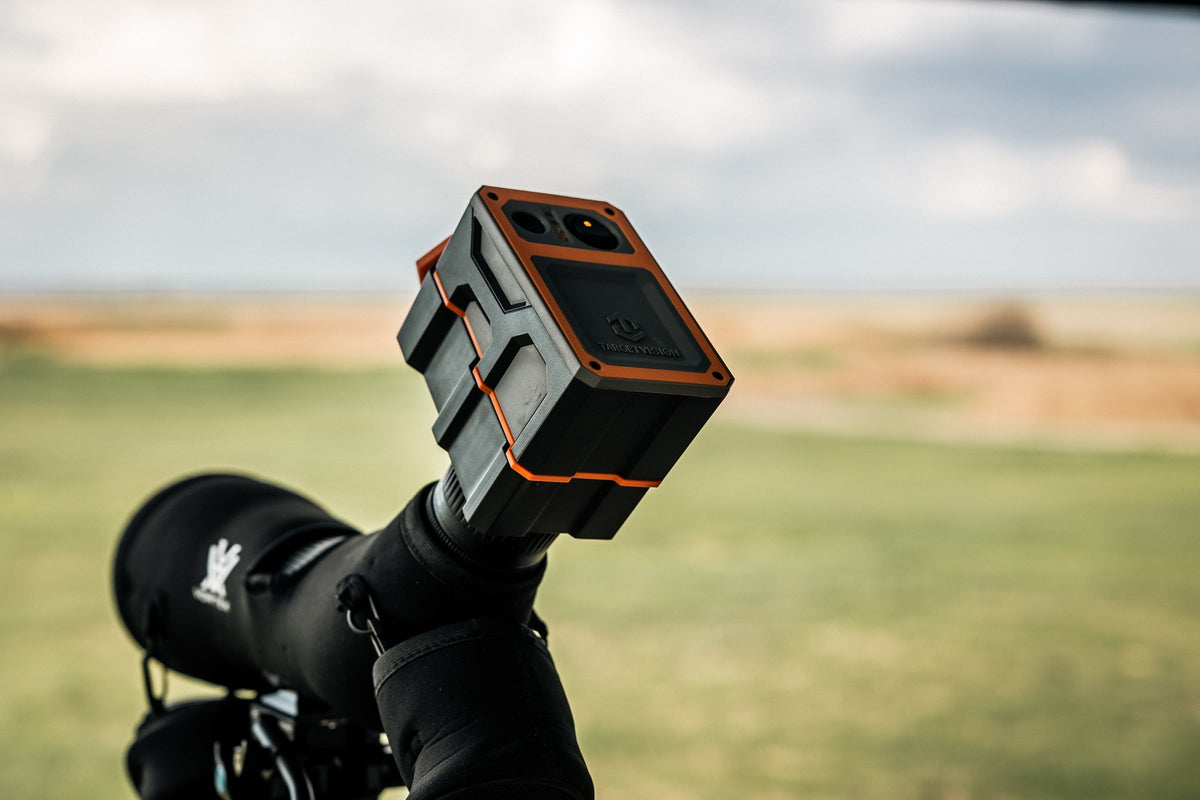
The Hawk attaches to a spotting-scope eyepiece from 36mm to 58mm, so both the Hawk interface and the spotting-scope eyepiece need to be clean. Remove and install the Hawk according to its instructions; do not let dust trapped between surfaces scratch either component.
The Marksman is a downrange camera with 2688 x 1512 imagery and a 9+ hour runtime. Its tripod and soft case should be cleaned after dusty range use so the lens does not return to a contaminated storage environment.
For a field perspective on maintaining reliable long-range feedback, read Reflections of an ELR Camera User.
Create a 2026 Post-Match Routine
At the range
- Save the session.
- Power down.
- Replace lens and connector protection.
- Knock loose dirt from tripod feet away from the camera.
- Pack each component in its assigned location.
At home
- Open the case in a clean area.
- Inspect for moisture and debris.
- Remove loose lens dust.
- Clean remaining smudges only if needed.
- Clean body and tripod with separate tools.
- Dry case and components.
- Charge according to product instructions.
- Verify the live image.
Before the next trip
- Inspect the lens without wiping automatically.
- Confirm the image.
- Check mounts and cables.
- Confirm the system connects to the app.
Cleaning should be condition-based, not an excuse to rub the lens after every session.
Common Lens-Cleaning Mistakes
Wiping visible grit
Remove loose particles before any contact.
Using the same cloth on everything
Tripod and case dirt can transfer abrasive particles to the lens cloth.
Applying too much liquid
Do not flood seams or the lens housing.
Using shop air
Compressed shop systems can carry oil, water, or excessive force.
Storing wet equipment in a closed case
Dry according to product guidance before long-term storage.
Trying to polish out a scratch
Optical coatings and surfaces can be damaged by abrasives. Contact support.
FAQs
Can I use household glass cleaner?
Do not use it unless Longshot specifically approves it for the model. Use lens-safe products and the manufacturer’s instructions.
Should I clean the lens after every match?
Inspect after every match. Clean only when contamination is present.
What if moisture appears inside the lens?
Stop using cleaning liquid and contact Longshot support. Internal moisture is not a surface-cleaning problem.
Can I use canned air?
Use only methods approved for optical equipment and the product. Avoid high pressure, propellant discharge, and unregulated shop air.
Why is the image still blurry after cleaning?
Check camera placement, target framing, connection quality, spotting-scope focus for a Hawk, and possible internal damage. Do not keep wiping a clean lens.
Protect the View for the Next Match
The best lens-cleaning technique is the one that removes contamination without creating new damage. Start dry, remove loose material first, use minimal contact, and keep body-cleaning tools separate.
A consistent 2026 post-match routine protects more than the glass. It keeps the camera, support, case, and connection ready so the next range day starts with a clear target instead of a maintenance problem.
Share:
Spotting Scope Camera Adapter: 2026 Guide
Wi-Fi Spotting Scope Camera Without Internet